Introduction
WARNING
It is strongly recommended to have followed and completed the wiab staging installation How to install Wire in a box Staging before continuing with this page. The wiab-staging installation is simpler, and already makes you aware of a few things you need like TLS certs, DNS, VMs, ansible and helm chart etc.
NOTE
All required dependencies for doing an installation can be found here Dependencies on operator’s machine.
Getting started with Production installation
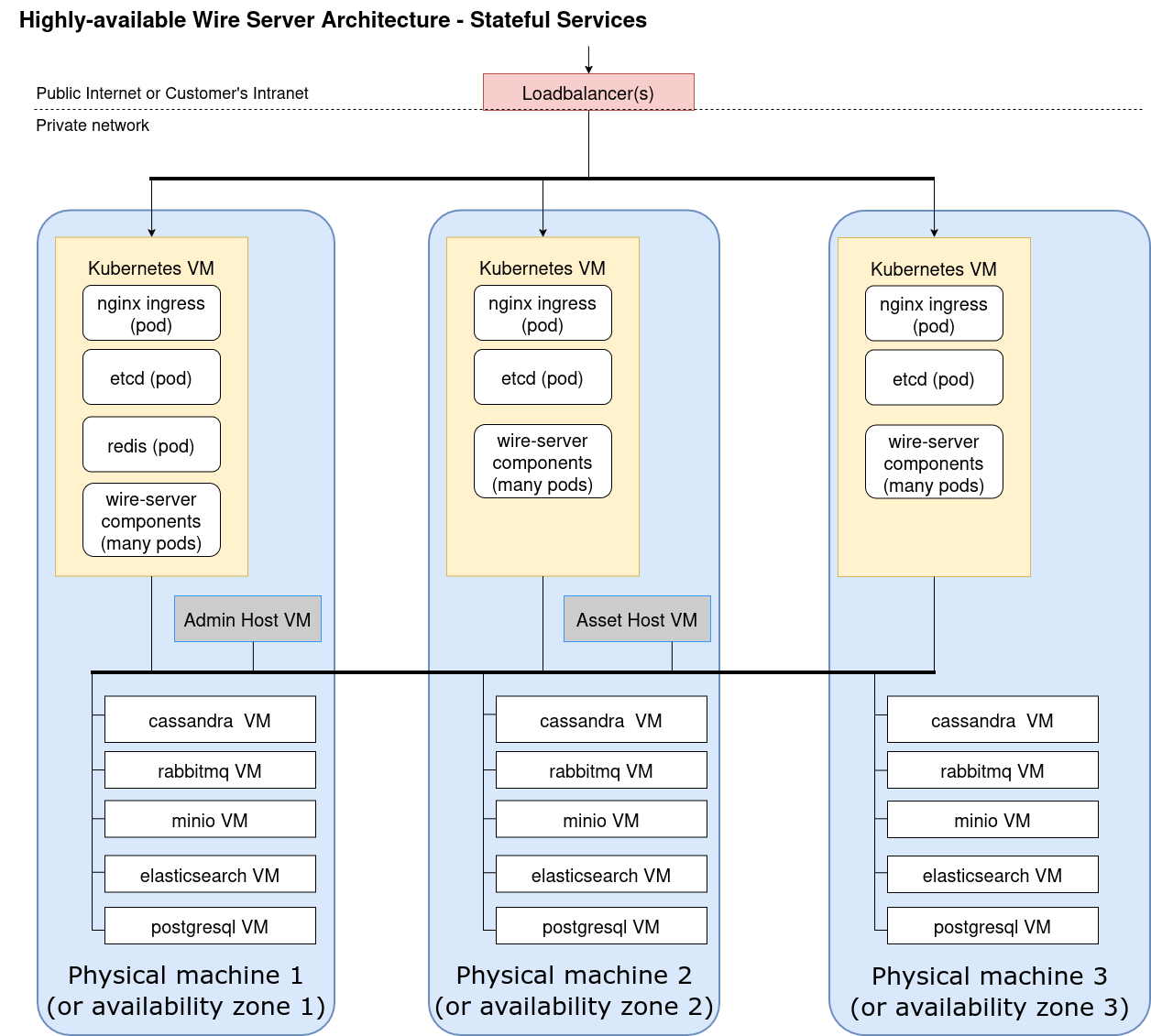
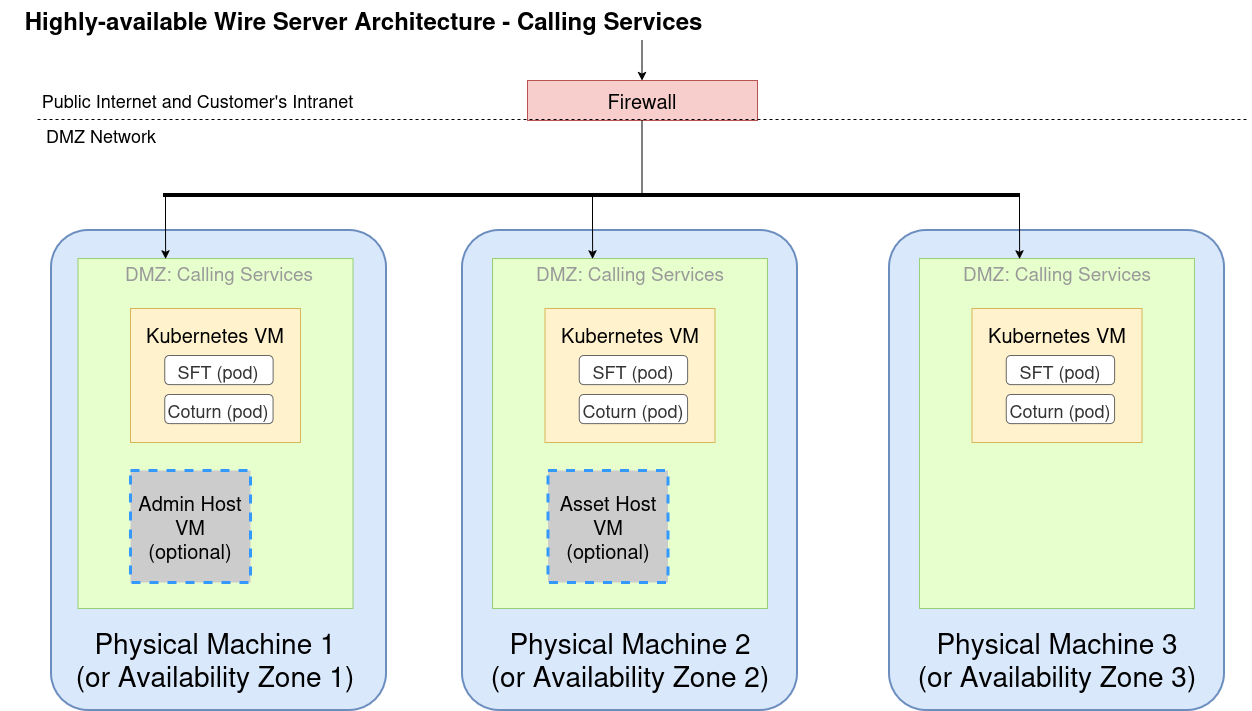
A production installation consists of several parts:
Part 1 - you’re on your own here, and need to create a set of VMs as detailed in Production installation (persistent data, high-availability)
Part 2 (Installing kubernetes and databases on VMs with ansible) deals with installing components directly on a set of virtual machines, such as kubernetes itself, as well as databases. It makes use of ansible to achieve that.
Part 3 (Installing wire-server (production) components using Helm) is similar to the demo installation, and uses the tool helm to install software on top of kubernetes.
Part 4 (Infrastructure configuration options) details other possible configuration options and settings to fit your needs.
What will be installed by following these parts?
- highly-available and persistent databases (cassandra, elasticsearch)
- kubernetes
-
- Calling services i.e. coturn & SFTD
- wire-server (API)
- user accounts, authentication, conversations
- assets handling (images, files, …)
- notifications over websocket
- single-sign-on with SAML
- wire-webapp
- fully functioning web client (like
https://app.wire.com) - wire-account-pages
- team-settings page for team management
What will not be installed?
What will not be installed by default?
- 3rd party proxying - requires accounts with third-party providers
Getting support
Next steps for high-available production installation
Your next step will be part 2, Installing kubernetes and databases on VMs with ansible